All System Settings
Whether you're adjusting templates, email systems, notifications or defining custom data structures, this section enables you to shape Helm to reflect the voice, rhythm, and intelligence of your organisation

System Settings
The System Settings area forms the technical backbone of your Helm environment
It provides fine-grained control over how the system communicates, presents information, and automates its most fundamental behaviours
This suite of configuration tools ensures that your operational environment can be fully customised to suit the nuances of your business, branding, and communication style
Whether you're adjusting templates, email systems, notifications or defining custom data structures, this section enables you to shape Helm to reflect the voice, rhythm, and intelligence of your organisation

Email Template Settings
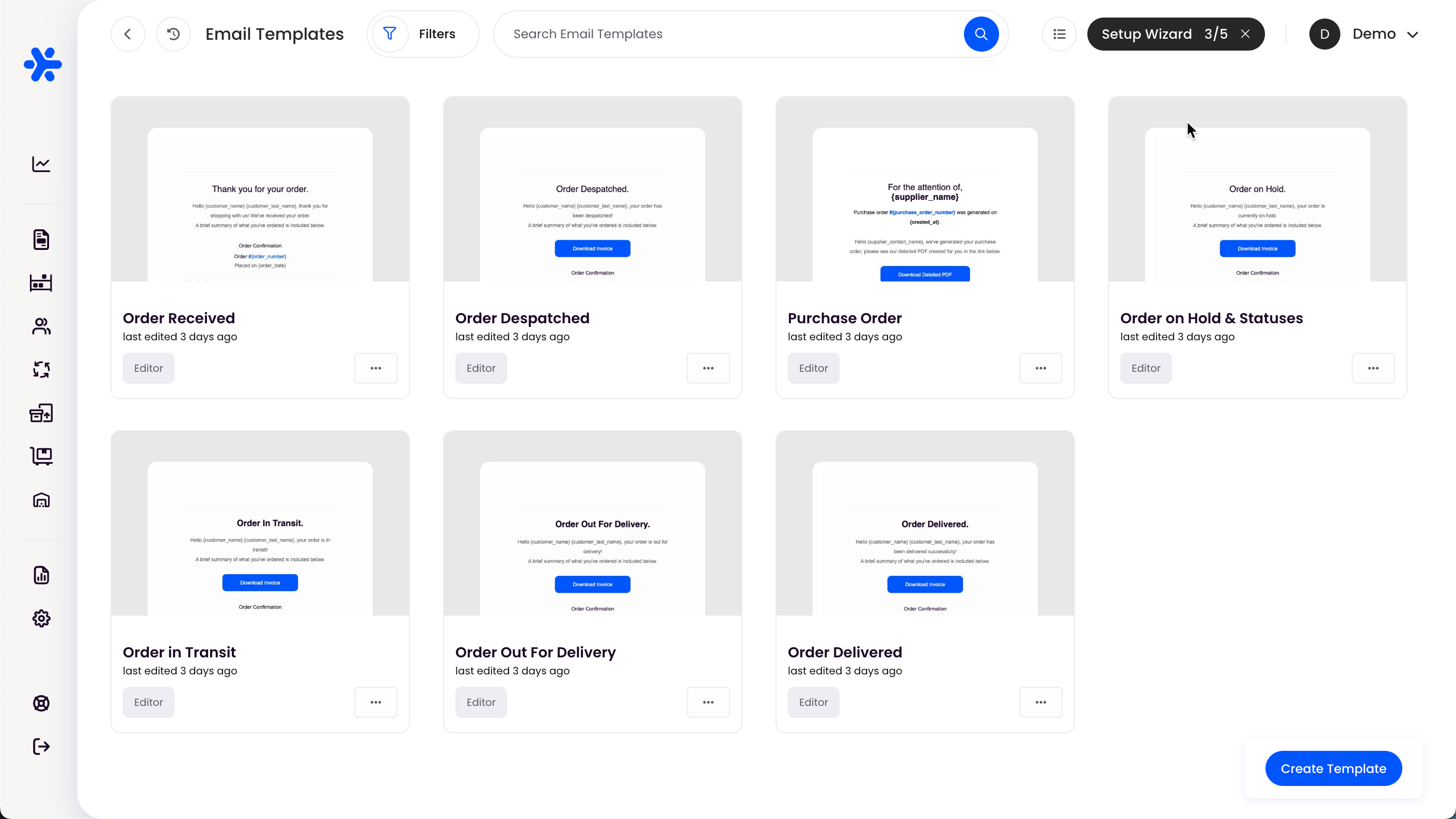
In this section, you can build and manage the email templates sent to customers, suppliers, and internal users
Each template can be customised to include dynamic variables, ensuring that every email is contextually relevant and aligned with your tone of voice
Templates can be crafted for scenarios such as order confirmation, shipment despatch, or failed delivery attempts, allowing for consistent brand communication across every touchpoint
By leveraging both Helm’s ready‑made templates and your own custom designs, you’ll deliver timely, professional emails that reinforce your brand and keep every stakeholder informed throughout the fulfilment journey
For a more detailed explanation explore the Email Template Settings Page
Click to enlarge the image
Print Template Settings
Tailor your printed documentation to reflect your brand identity and operational needs
Whether it’s invoices, pick lists, packing slips or despatch labels, templates can be designed to include your logo, address layout, and product-level information
This section ensures that the documents you produce are always professionally formatted and logistically precise
For a more in depth look and to explore how to use print template variables, click through to our Print Templates Documentation Page
Mail Account Settings
Here, you configure the SMTP accounts used by Helm to send emails from your domain
This allows outbound communication to appear seamless and professional, maintaining trust and authenticity with your recipients
Multiple accounts can be supported for different stores, warehouses, or brands, enabling tailored communication based on the operational context
For more information click through to Mail Account Settings
System Notification Settings
Set the rules for how your team receives system-level notifications
These might include failed imports, courier errors, stock discrepancies or rule failures
By managing these alerts, you ensure your team is informed in real time and can take proactive action before minor issues become operational roadblocks
Payment Methods
Define and manage the list of acceptable payment methods used across your platform
These might include credit cards, bank transfer, cash on delivery or online payment gateways
Having this configured correctly supports smoother order intake and ensures accurate financial reporting throughout the system
Custom Field Settings
Create custom fields to capture additional information that isn’t part of the standard Helm data structure
These fields can be used on orders, products, customers or despatches, offering exceptional flexibility in tailoring Helm to your exact needs
Custom fields support dynamic filtering, intelligent reporting and granular control without compromising on standard workflows
System Logs
A transparent record of all key user interactions across your Helm system
System logs capture login attempts, setting changes, rule activations and other significant events
These logs serve as an invaluable auditing tool, ensuring accountability, traceability and compliance
User Logs
This section focuses on real-time and historic activity by users within the Helm interface
It provides visibility into who did what and when, ideal for monitoring changes, debugging issues or ensuring correct operational behaviour
Channel Logs
Track every message, action and update passed between Helm and your connected sales channels
Whether receiving an order, updating stock or pushing tracking data, this log keeps a record of all transactional communication across integrations
Request Logs
Similar to channel logs but broader in scope, request logs record the background communication between Helm and external services such as couriers, marketplaces or apps
They are essential when troubleshooting failed responses, timeouts or unexpected system behaviour
Inventory Linking
Manage the mappings between your internal stock records and external product identifiers
This feature is especially useful when products are sold under different SKUs across multiple channels
Inventory linking ensures accuracy in stock updates, reduces overselling, and provides a cohesive view of your catalogue
Job Reasons
Configure the reasons assigned to manual jobs such as returns, stock adjustments or cancellations
Defining these reasons supports operational consistency and provides richer reporting, allowing you to identify trends, causes and performance bottlenecks
Order Folders
Organise your orders using folders for easier navigation and segmentation
Folders may be created by user groups, workflows, time periods or customer types
This feature is especially helpful in high-volume environments, allowing your team to focus on priority orders or specific operational subsets without clutter
For further help, contact Helm Support