Tesco Marketplace Integration Guide
Integrate your Tesco Marketplace account with Helm to streamline listing, automate order syncing, and ensure smooth fulfilment processes

Tesco Marketplace Fulfilment Overview
Note:
Tesco does not operate on the FBA/FBM model, but you may see internal terms for Seller Fulfilled or Tesco Fulfilled similar to above

Tesco Seller Account (Third-Party Partner)
Tesco Marketplace allows approved sellers to offer products directly through Tesco’s online retail platform, one of the UK’s most trusted household brands
By connecting Tesco to Helm, sellers can streamline product listings, automate stock updates, and ensure orders flow seamlessly into their fulfilment operations
Step-by-Step Setup
To integrate Tesco Marketplace with Helm:
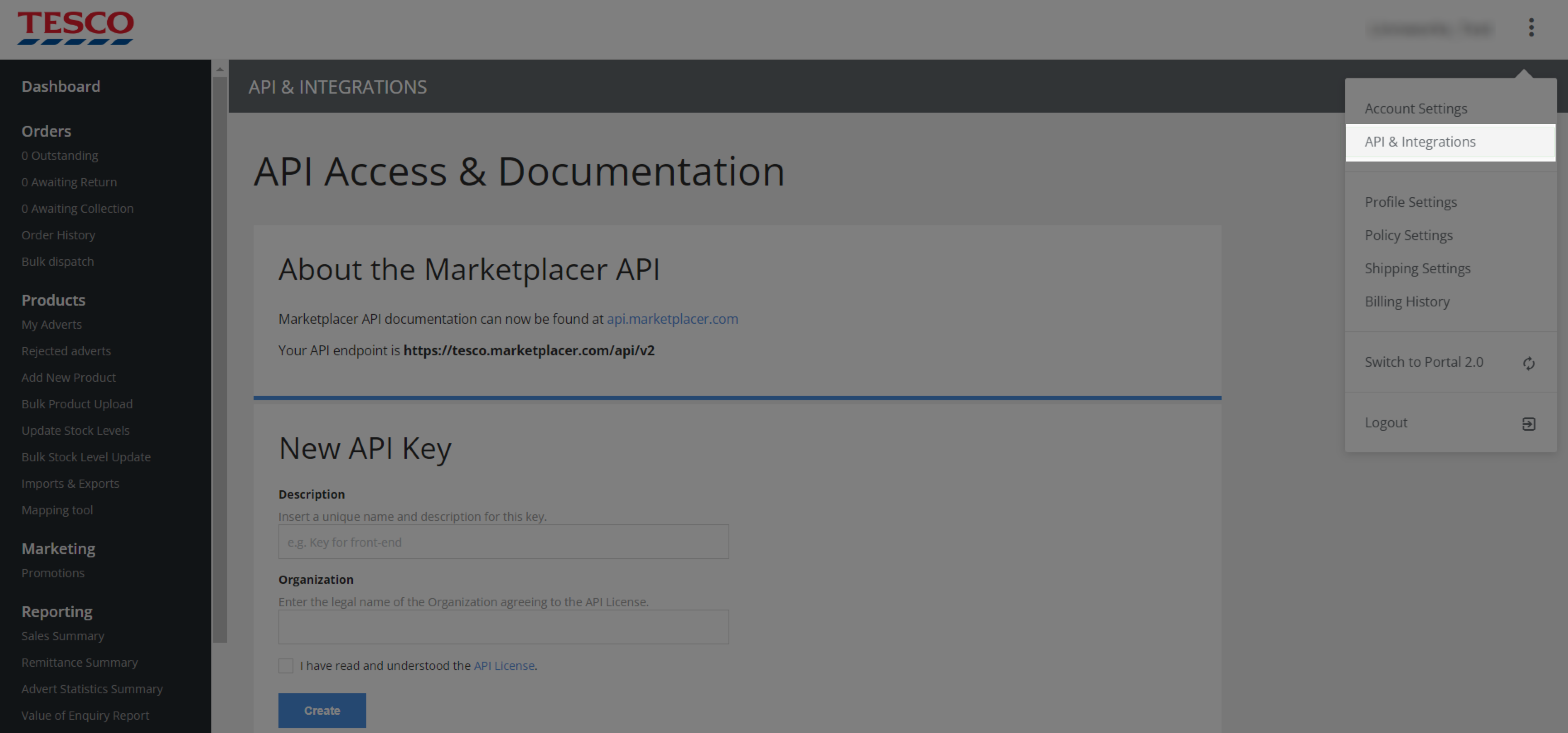
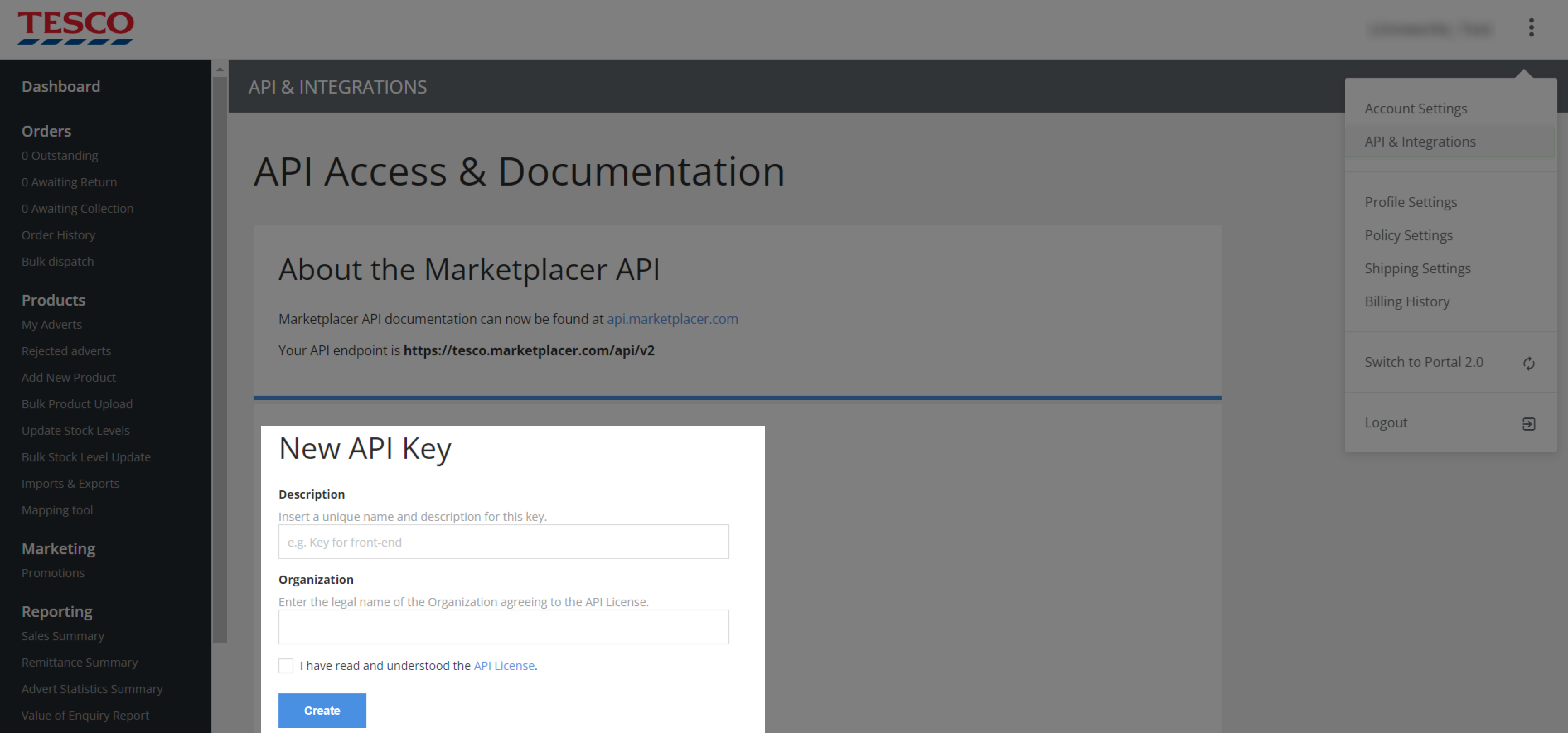
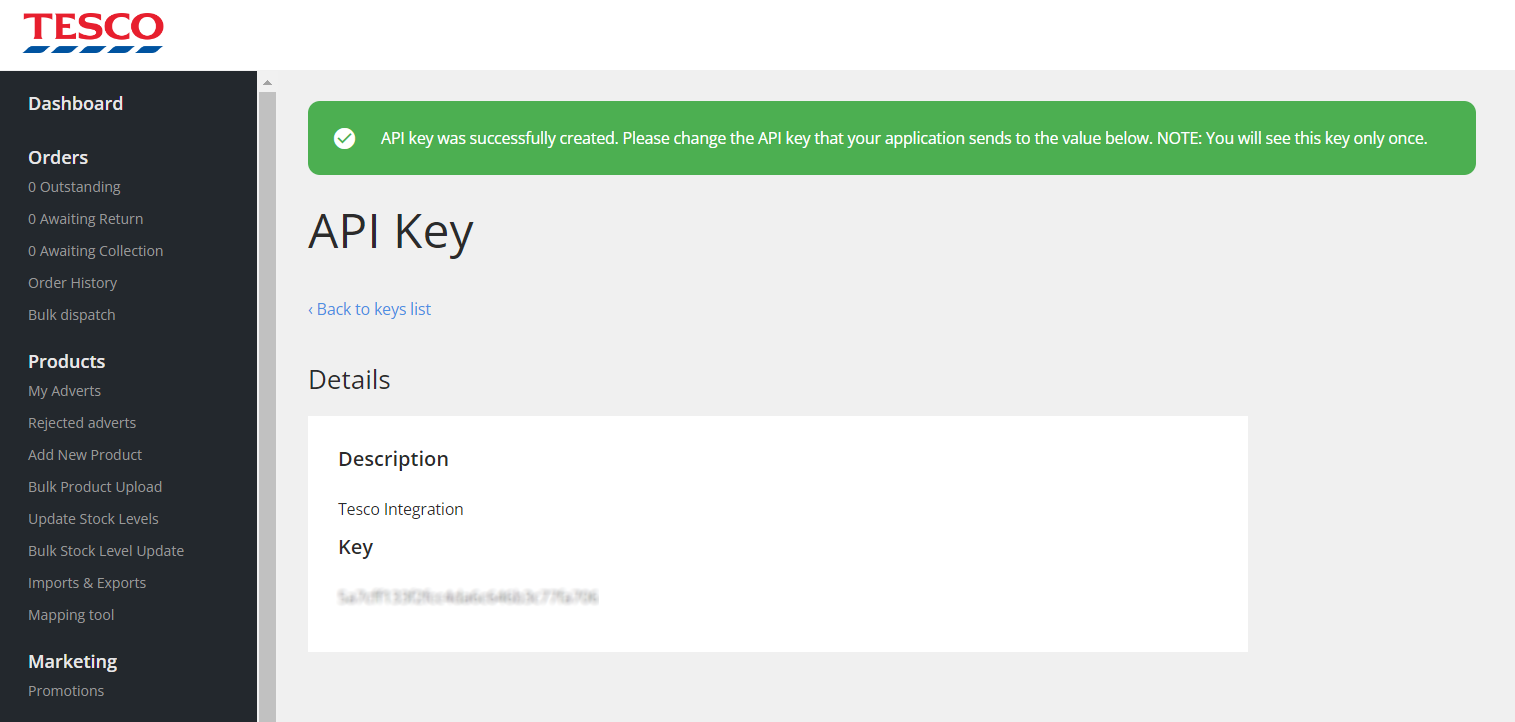
Obtain Marketplace Credentials
Contact your Tesco Partner Manager or use the Tesco Partner Portal to request API credentials including:Hostname (e.g.
yourbrand.marketplacer.com)API Key
Log in to Helm
Go to Settings → My Store in your Helm dashboardAdd New Sales Channel
Click Add New Sales Channel and select Tesco from the listEnter Required Details
Click Continue

Interaction Settings
Control how Helm synchronises and handles data with Tesco:

Final Steps
Click Save once all settings are configured
Set the channel to Is Active at the top of the screen
Your Tesco Marketplace integration is now live - and you’re ready to Take the Helm

Enter your details in Tesco Marketplace

Common Issues
If you experience issues and need assistance, contact Helm Support